Your phone on the big screen. Wireless, no waiting.
Open ZiggCast on both devices and tap a screen. No cable, no account, no cloud: the picture goes straight over your network.
1Open ZiggCast on the TV or computer
- 121fps · smooth picture
- 24 msmedian delay
- 0sign-ups
- 10languages
Three taps, zero setup
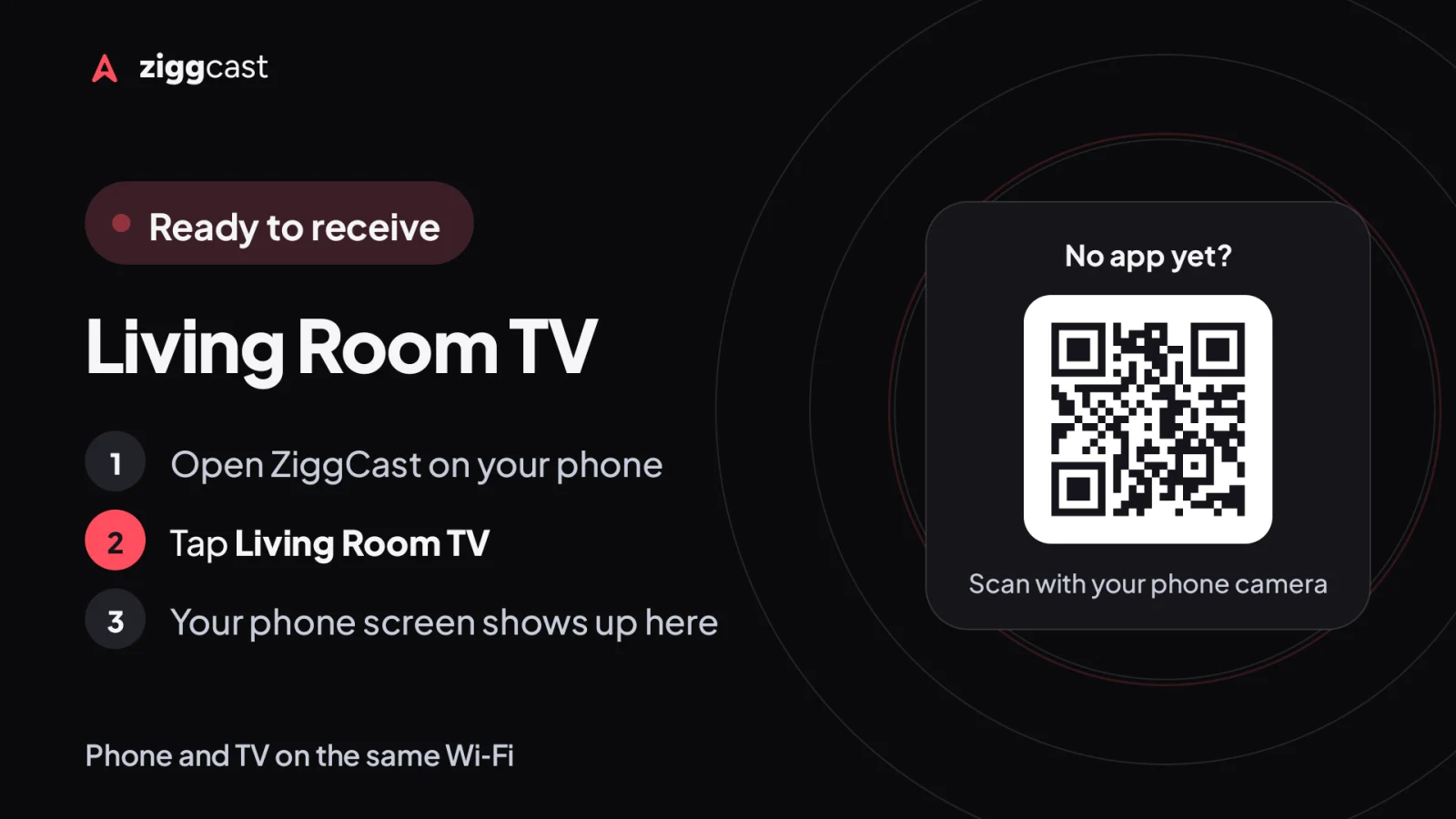
Open ZiggCast on the TV or computer
It gets ready and shows its own name. No codes, sign-ups or passwords.
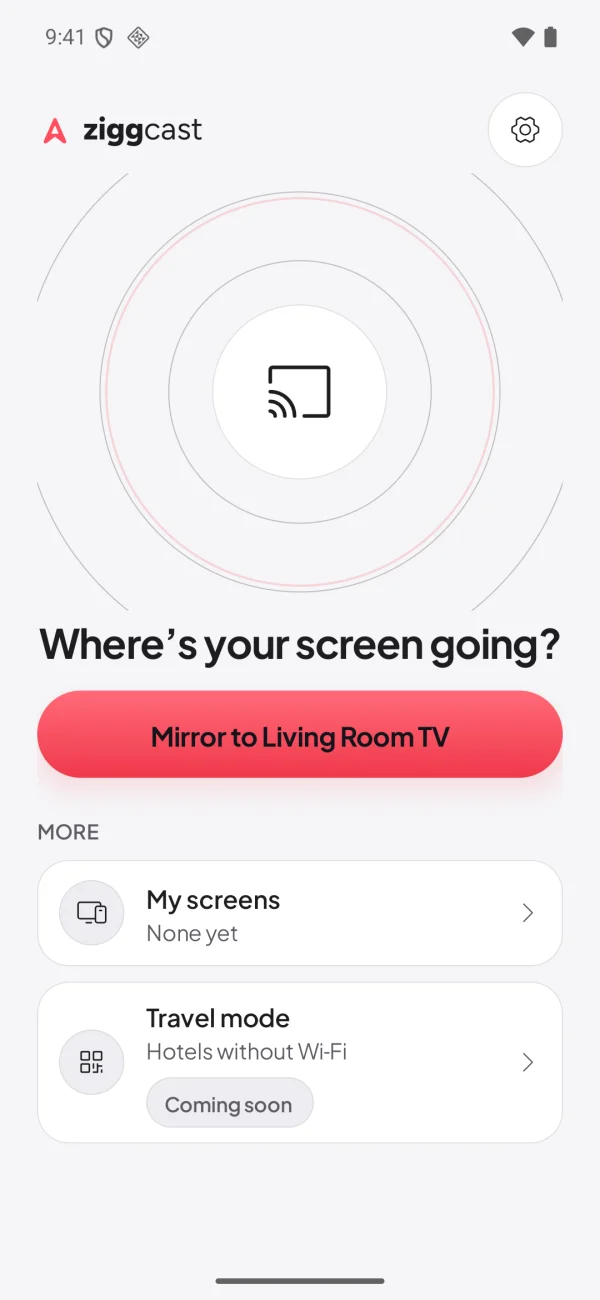
On your phone, tap the screen that shows up
Your phone finds the screens in your home on its own and lists them by name.
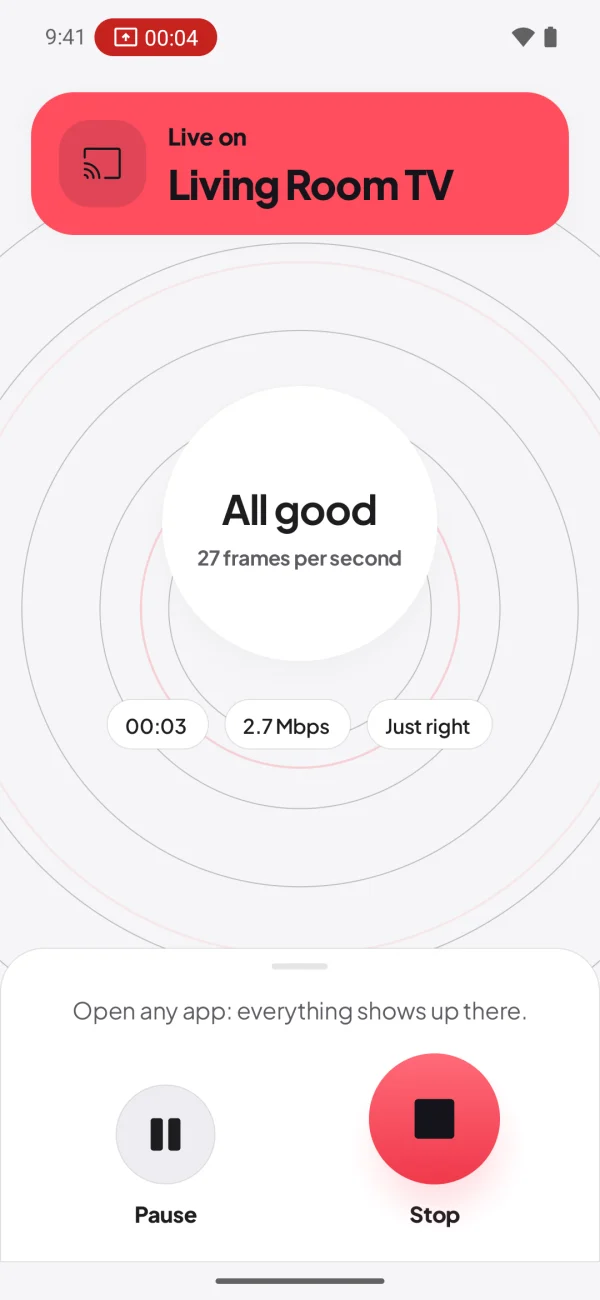
Confirm, and you’re live
Android asks you to confirm. Tap “Share screen” and you’re on the big screen.
A mode for every moment
Your screen goes through no one
The picture leaves your phone and reaches the screen over your own network. No server in between, nothing recorded, no account to create.
- No account, no login
- No cloud, no server
- Nothing recorded, nothing sent out
What it doesn’t do yet
Movies from protected apps
Netflix, HBO and banking apps show up black. That’s the app’s own protection, and ZiggCast respects it.
Sound on the TV
Coming soon. For now, sound stays on the phone.
Travel mode
Coming soon: connect to the hotel TV without the hotel Wi-Fi.
iPhone
In development. Today ZiggCast mirrors Android phones.
Frequently asked questions
Do I need a cable?
No. Your phone and the screen just need to be on the same Wi-Fi network. ZiggCast is wireless from start to finish.
Do I need an account?
No. There is no account, login or sign-up. Open the app on both devices and mirror.
Is there any lag?
Almost none. From a Galaxy S25 Ultra to a MacBook Pro on the same Wi-Fi, the measured median delay was 24 ms at 121 frames per second. Turbo mode cuts the delay further for games.
Does it work with any TV?
It works on TVs with Android TV, Google TV or Fire TV, where you install the receiver app. On other TVs, you can mirror to a computer connected to the TV.
Does my screen go to a server?
No. The picture goes straight from your phone to the screen over your local network. Nothing is recorded and nothing leaves your home.
Coming first to the official stores
ZiggCast will be on Google Play, on TV app stores, on Mac and on Windows. Come back here to download it.
- Coming soonGoogle Play
- Coming soonAndroid TV and Fire TV
- Coming soonMac
- Coming soonWindows
No mailing list, no sign-up. When it reaches the store, the button shows up here.